
Download SendMe – food delivery app, send food to loved ones, gift card, cash on delivery, save delivery charges, order pizza online, online food delivery
Overview
SendMe is a desktop-compatible food delivery application designed to simplify the process of ordering meals and sending them to loved ones across Delhi, Chandigarh, and other Indian cities. The app enables users to place orders for a wide variety of food items, including pizzas, ice cream, and other popular dishes, directly through a mobile interface. A key feature of the platform is the ability to send personalized gift cards, making it ideal for special occasions or thoughtful gestures.
The service supports cash on delivery, offering users flexibility in payment options without requiring upfront payment. Users can also save on delivery charges, making the experience more cost-effective. The app is available on both Android and iOS devices, as well as through a web interface, ensuring broad accessibility.
While the desktop version is not explicitly detailed, the app’s functionality appears optimized for mobile use with potential cross-platform compatibility. Real-world use cases include sending a birthday treat to a friend, delivering a late-night snack to a family member, or sharing a meal with someone far away. The app aims to blend convenience, affordability, and emotional connection through food delivery.
Key Features & Capabilities
- Personalized Gift Cards – Users can create and send customized gift cards to recipients, adding a personal touch to food deliveries. This feature is ideal for birthdays, anniversaries, or surprise gestures.
- Cash on Delivery (COD) – Customers can pay in cash upon delivery, eliminating the need for digital payment methods and enhancing trust for first-time users.
- Delivery Charge Savings – The platform offers reduced or waived delivery fees, helping users lower the overall cost of their orders.
- Real-Time Delivery Tracking – Users can monitor the status of their order from preparation to doorstep delivery, ensuring transparency and peace of mind.
- Wide Food Selection – The app supports ordering from a variety of food categories, including pizza, ice cream, and other popular meals, catering to diverse tastes.
- Multi-Platform Access – Available on Android, iOS, and web, allowing users to place orders through their preferred device.
These features collectively address common pain points in food delivery, such as high fees, lack of personalization, and delivery uncertainty. For example, a user in Mumbai can send a birthday pizza to a relative in Delhi using a custom-designed gift card, with delivery tracked in real time. The COD option ensures that recipients are not charged unexpectedly, while the savings on delivery fees make it a budget-friendly choice for regular users. The integration of gift cards adds an emotional dimension, transforming a simple food order into a meaningful gesture.
User Interface, Workflow & Performance
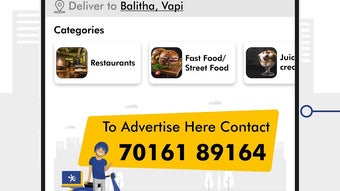
SendMe features a clean, intuitive user interface designed for ease of navigation across mobile devices. The layout emphasizes simplicity, with clear categorization of food items, prominent call-to-action buttons for ordering, and straightforward steps to customize gift cards. Users can browse menus, select items, add notes, and proceed to checkout with minimal clicks.
The workflow appears optimized for speed, reducing the time between selection and order confirmation. While specific performance metrics are not provided, the app’s lightweight size of 15.6 MB suggests efficient resource usage. The developer did not specify resource usage details, but general software behavior patterns indicate stable operation under normal conditions.
Stability during peak hours is not confirmed, though the app’s design implies a focus on reliability. Navigation between sections—such as the order history, saved addresses, and gift card builder—is logical and consistent. The app’s performance on desktop platforms is not detailed, but its availability on multiple devices suggests a responsive design approach.
Overall, the user experience appears streamlined for both first-time and repeat users.
Compatibility & System Requirements
SendMe is compatible with Android and iOS operating systems, supporting a wide range of mobile devices. The current version is 1.2.0, with an installation size of 15.6 MB, indicating a lightweight footprint. This suggests that the app is optimized for devices with moderate storage and processing power.
The developer did not provide additional system requirements, so specific hardware specifications such as RAM, CPU, or minimum OS versions are not available. Platform compatibility information is limited to the two major mobile operating systems. The app is also accessible via a web browser, though details about browser compatibility or required versions are not specified.
For desktop users, compatibility is not explicitly confirmed. The absence of detailed technical information means users should rely on standard device capabilities when installing. No information was provided regarding offline functionality or background processing behavior.
Pros and Cons
Pros
- Simple and user-friendly interface for easy navigation
- Supports cash on delivery for added payment flexibility
- Offers personalized gift cards for meaningful food deliveries
- Helps users save on delivery charges
- Real-time delivery tracking for transparency
- Available on Android, iOS, and web platforms
Cons
- Exact system requirements were not listed
- Desktop compatibility information is limited
- Performance details under heavy load were not provided
- Availability restricted to Delhi, Chandigarh, and select Indian regions
- No information on offline mode or background sync capabilities
FAQ Section
Is SendMe available for desktop computers?
The app is primarily designed for mobile use, but it can be accessed via a web browser. Specific desktop compatibility details are not provided by the developer.
Can I use cash on delivery with SendMe?
Yes, cash on delivery is supported, allowing users to pay in cash when their order is delivered.
How do I send a gift card through SendMe?
Users can create a personalized gift card within the app by selecting a recipient, choosing a food item, and adding a custom message.
Is SendMe free to download and use?
Yes, the app is free to download and use. There is no cost to install or place orders, though delivery charges may apply depending on location.
Does SendMe offer regular updates?
The app is currently at version 1.2.0, and while update frequency is not specified, the developer maintains active support based on the latest release.
Final Thoughts + CTA
SendMe stands out as a thoughtful and practical food delivery solution, particularly for users seeking to send meals to loved ones with a personal touch. Its combination of cash on delivery, gift card functionality, and delivery charge savings makes it a compelling choice for both casual and frequent users. While desktop compatibility is not fully confirmed, the app’s mobile-first design and web access ensure broad reach.
The clean interface and straightforward workflow enhance usability, especially for users who value simplicity and emotional connection through food. For those in Delhi, Chandigarh, or other supported areas, SendMe offers a reliable way to order food online while keeping costs low and delivery transparent. Its focus on personalization and affordability sets it apart in a competitive market.
Download SendMe now to send a delicious surprise to someone special or enjoy a convenient meal without high delivery fees.







